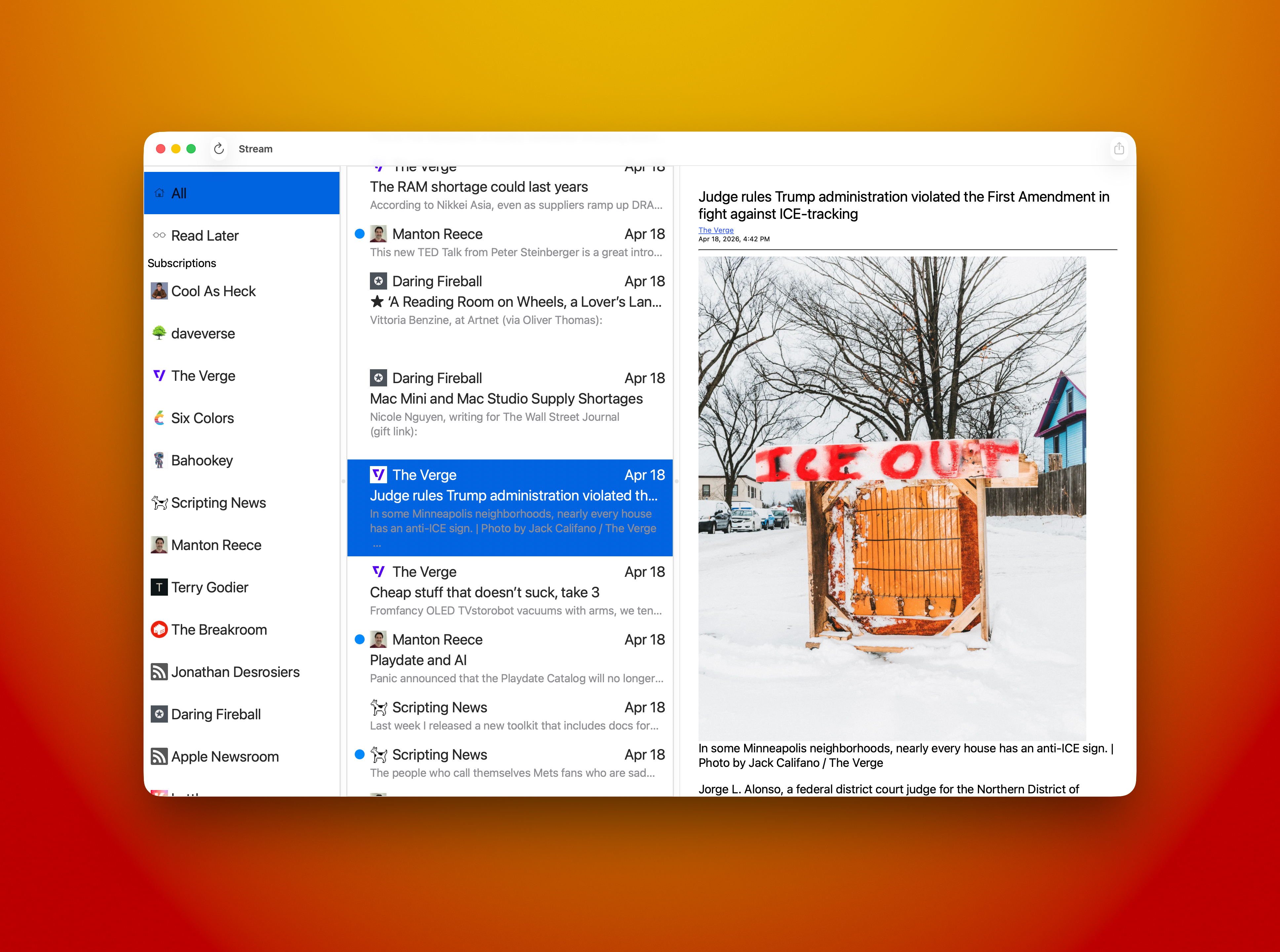
 Today’s progress on Stream for Mac felt great. I was able to replace the Collection View item in the Blog List — leftmost column — with a native NSCollectionViewItem, which was extremely straightforward.
I also added right mouse click menu support so you can do a few actions in your blog list; Mark All Read, Copy Feed Link, View Website, and Unsubscribe. All of the actions work as expected.
Cmd+A now selects the top most item in the list — All — and displays all items from all blogs in the middle column. You can, of course, select that item with the mouse and get the same results.
The middle column adds right mouse menu support for; Copy Link, Open, and Share… All actions work as expected.
I’m showing my hand a little bit with the item called “Read Later.” 😃 Yes, I’m adding an Share Sheet Action that will allow you to not only “Subscribe in Stream” to add a subscription from the blog you’re browsing but a new item will be called “Read Later in Stream” that will stash a reference to any site you’re browsing so you can check it out later. Hey, I really need that for myself! It’s how I collect notes for Saturday Morning Coffee. For now I’m using John Brayton’s excellent Unread to do that for me. Stream needs that support so it’s gonna get it. Both the Mac and iOS versions will have it.
I still have a lot of cleanup and tweaking to do. Mostly in the area of design. I have visual nicities to add and tightening some visual elements up to make my eye happy. It’s getting there.
 Some things that need fixing. Selection of a blog item currently has black text and a blue highlight. The text needs to become white so you can read it easier. I’d also like to round the selection rectangle a bit and give it some inset so it doesn’t look so sharp. They currently look like you could cut yourself on them! Same for the middle column. Selection needs some help and that includes the same rounding and inset work. Using the app shouldn’t result in cuts.
I have some nagivation stuff to add — like using the spacebar to advance an article and jump to the next one when you reach the bottom. I’ve already added vim J and K keys to havigate up and down the middle column. I’d like to be able to navigate the entire thing without taking your hands off of the keyboard. Need to add something for navigating the blog list with the keyboard, maybe D & F? Are there standards for that yet? I’ll see what other Feed Readers use.
I feel very close now. My current plan is to ship the first release without Settings, so no way to tip me. 😄 I will add that support next. For now I’m just really excited to kick it out the door. I can build on what I have from there. Once it gets out there are things I’d like to do for the iOS version and Mac version that will be shared. I need better article parsing, I rely on what the RSS feed provides and if it doesn’t provide the full text of the article, I can’t display it. In the future the app will go to the article and parse the full text if allowed.
 So little time, so many features I’d love to do!
LET’S GO!