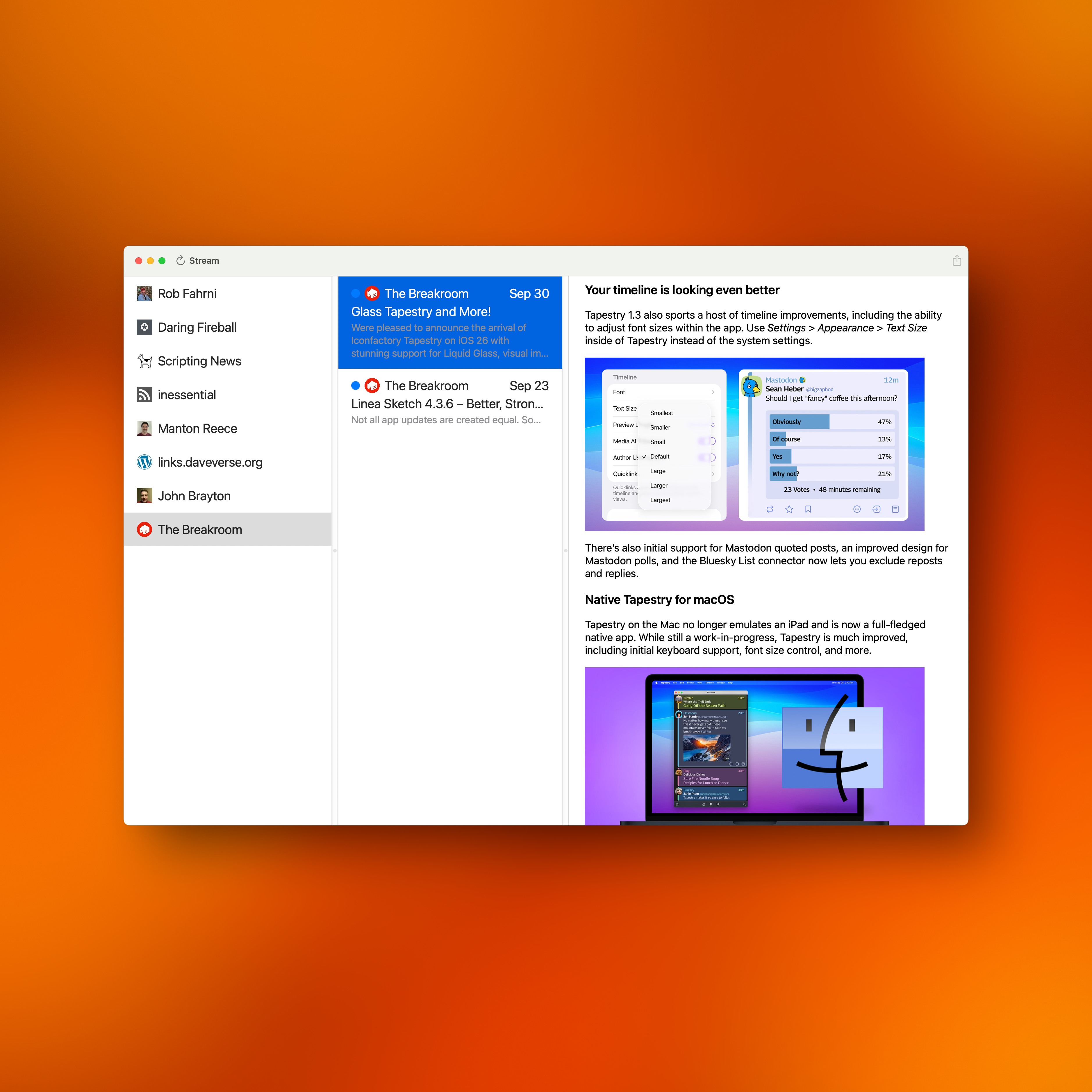
I wanted to share what Stream would look like in Dark Mode since I use Light Mode all day and take my screenshots there.
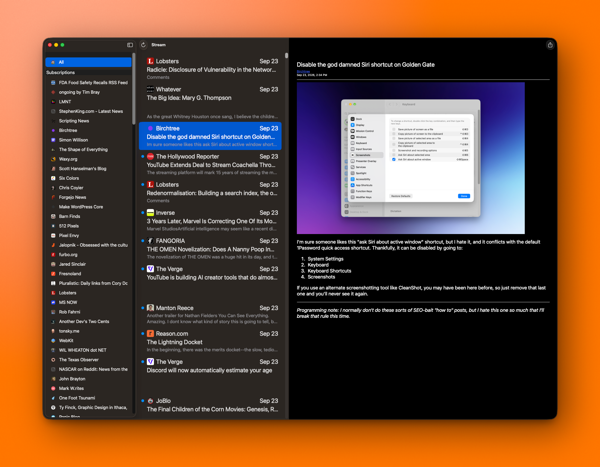
I wanted to share what Stream would look like in Dark Mode since I use Light Mode all day and take my screenshots there.
I really need to get back to Stream for Mac. It’s at a point where I’d like to release it, but I do have a couple things I’d like to fix before doing that.
Then I need to take a long hard look at the iPhone Duo. Hoooo boy. 😳 That’s gonna be a bit of work.
I already have so much I’d love to do with Stream. Least of which is supporting a new iPhone layout, especially one that’s changed the APIs. I’m sure it’ll be fine and will make for a better app, but there so much I can do to make Stream the app I really want. It’s just at the tip of the iceberg.
Some day, maybe? Until then, I’ll just keep hacking at it. 😃
Oh, yeah, right, then there’s Thunder Chicken to work on. 😂
This morning I managed to get back to Grit to work on Stream for Mac after a four week hiatus. I’ve been thinking about what I wanted and needed to do for a couple weeks now. The idea is to finish off my 1.0 release, which will most likely be labeled as 1.7.0 so I can sync it with the new release of Stream for iOS — which I also need to work on. 😁
I managed to get quite a few things buttoned up. If you logged a bug, thank you. I may not have fixed your bug or feature requests. At the end of a development cycle I get pretty conservative and want to do as little as possible to the code, unless someone finds a super egregous bug.
Unless I get a report of something terrible this may be the final beta. I really want to ship a solid Mac Assed Mac App but I’m not sure if I’ve met either of those desires unless I get a little help.
If you find a Mac Assed feature missing, please let me know. You can send email to rob.fahrni@gmail.com with your finding or you can go to GitHub and create a new issue. There’s also Mastodon. I’ll take a report any way I can get it. 😀
As for the latest TestFlight build — 1.6.0 (build 21) — here’s what changed.
This is my first build using Xcode 27, so far, so good.
To all Stream users, thank you for your support! 🙏🏼 A hearty thank you to the Mac and iOS Dev community, Power User community, and Stream TestFlight groups for all of your help, you know who you are and I’m grateful for each and every one of you. There’s no way I could ship this without all of you.
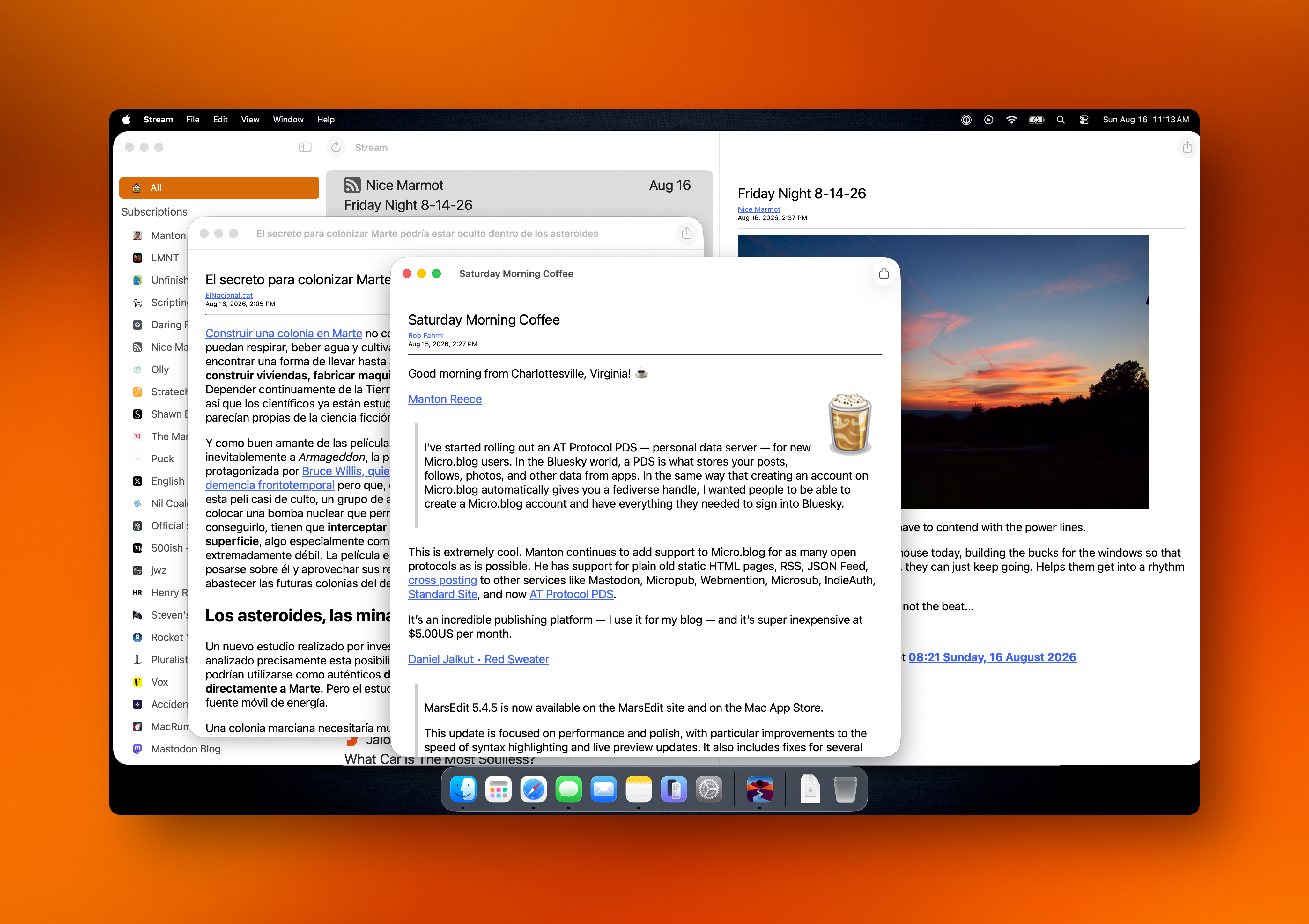
It’ll be 1.7 in the store so I can sync the iOS and Mac versions. 😃
How close am I? It’s hard to say to be perfectly honest. One day I’ll just declare it good enough and I’ll boot it out the door.
I want to do a bit of work to the leftmost view in the app to make it into a sidebar and shrink up each item displayed there a bit. That’ll mean some font size changes and probably change the size of the icon and tweak the middle column a bit. 🤣
Then again, maybe not? I’m just not sure I want to do it now.
I will definitely do a bit of visual cleanup. I’ve been tweaking it over time and it’s getting closer. I think of the mess I had when I first got it wired together and it’s come a long way.
It’s going to ship without Settings because I just want to get it done. No changing the number of days to keep feed items (it defaults to 30), no alternate icons, and no tip jar. My hope is to rework Settings in the iOS version and do it in SwiftUI so I can bring that work to the Mac. I do want to make it look like it belongs on the Mac, so it’ll get tweaked for sure.
I am going to start doing all work in SwiftUI moving forward since it’s “the future” of the platform and I need to take the plunge. Over time it’s only going to get better.
 One of the most disappointing things to me is the number of features and infrastructure changes I’d like to make. Some are mostly hidden — like parsing the web page associated with the feed — or adding some automation support. The list goes on and on. Oh, heck, sync is a huge one at the very top of the list. Then there’s support for other feed backends… ugh! I could go on forever. 🤣
One more thing. I think I’m going to have to pull the Read Later feature from the app if I want to get it out the door anytime soon. That’s going to require considerable work to parse web pages instead of just simple feeds. I have thoughts on it and once I get around to it I think it’ll turn out just fine, but it’s quite a bit of work to do right now.
Just some random thoughts on a Friday morning.
Lookie what I just got!
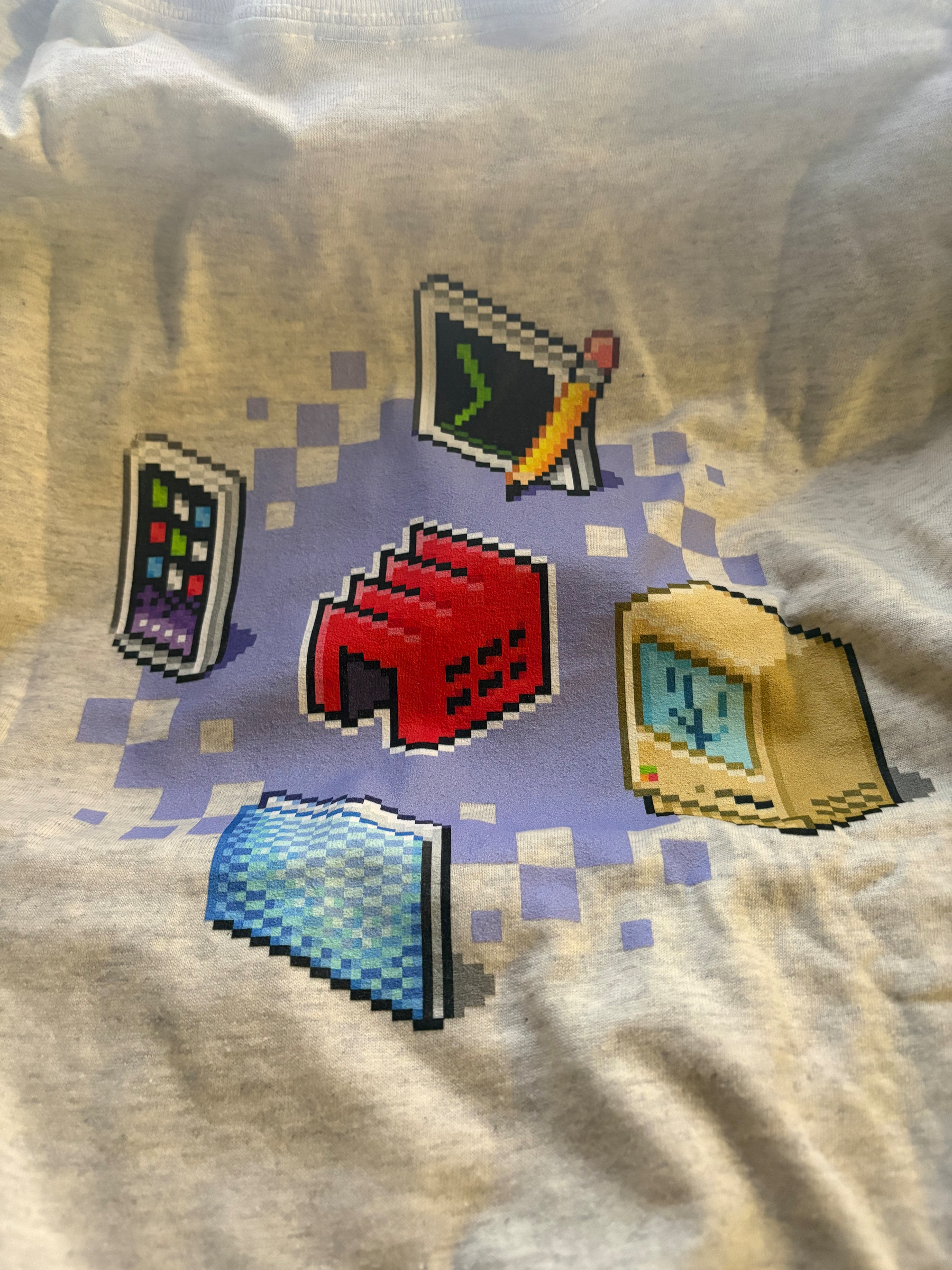
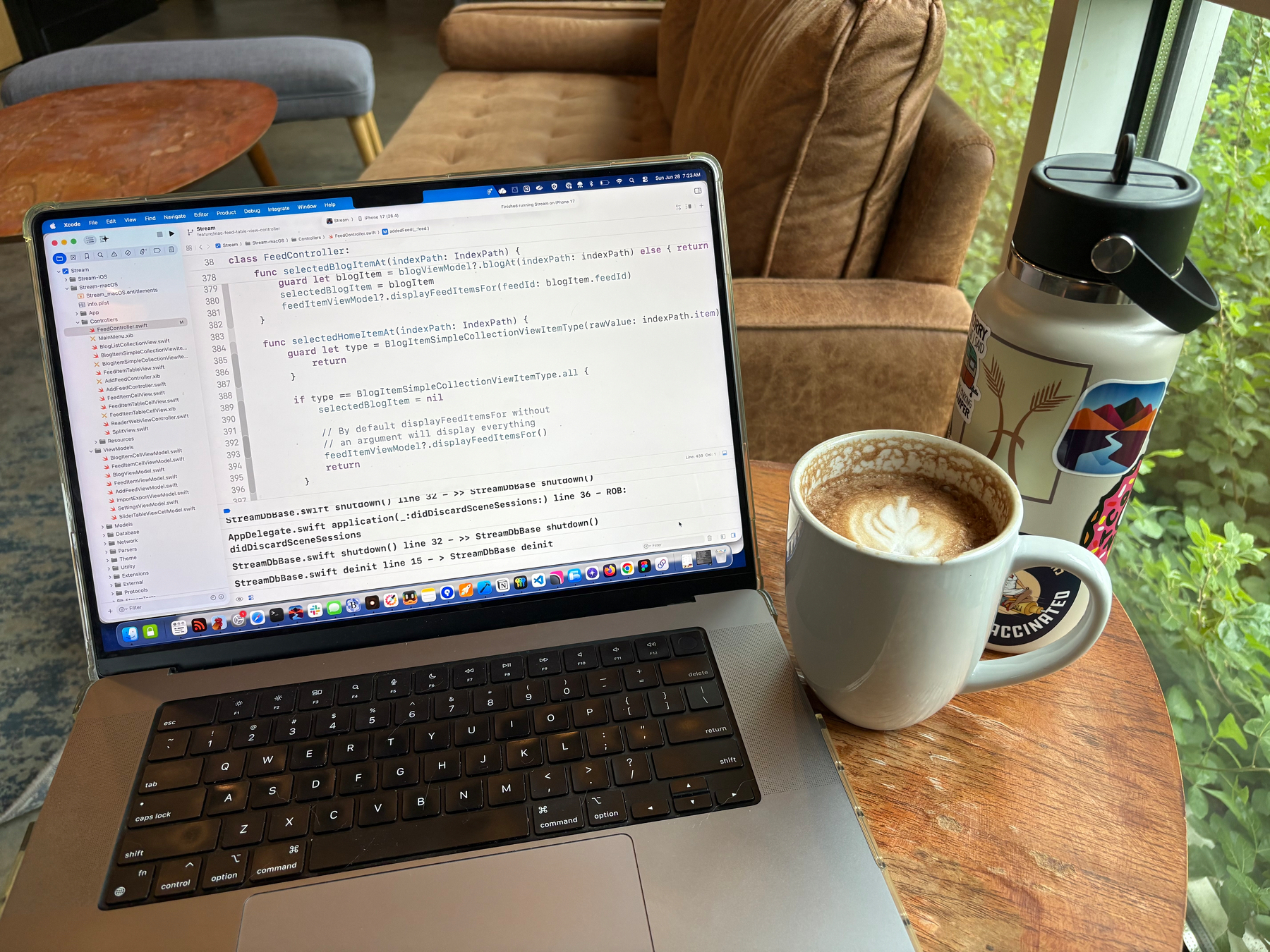
Time for code and coffee!
Let’s go!
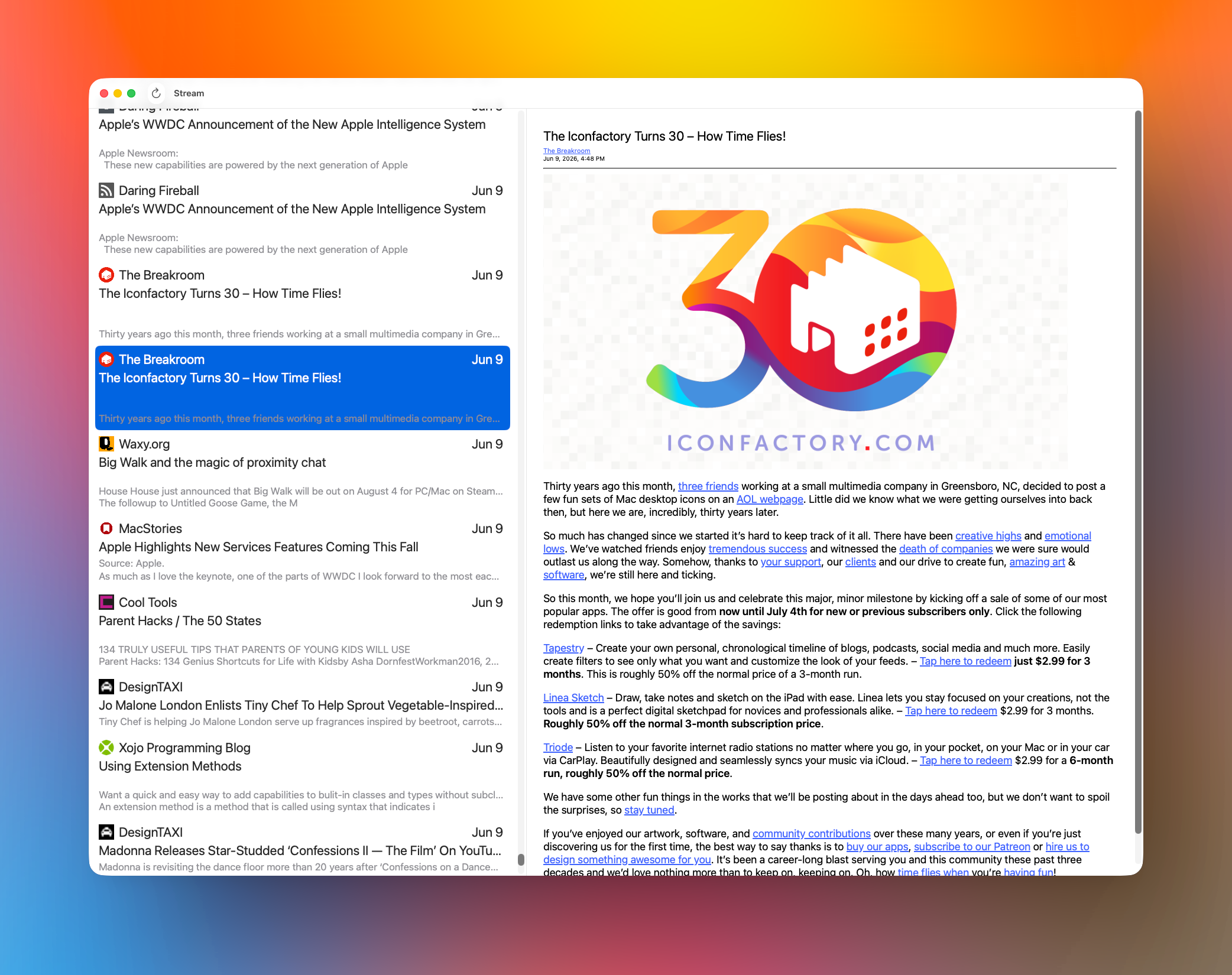
I’ve been using Stream for Mac in its default mode for quite a while now and I really love it. I can see things I need to tweak but the overall shape and stability of the app put a smile on my face. It’s simple, as intended. Perhaps too simple for some but I built Stream to scratch my own itch and I hope others will enjoy it as well.
The default mode is, like the iPhone and iPad versions, a timeline like Mastodon or Bluesky. There are no unread dots in the timeline so you don’t feel compelled to read everything. It’s meant to be a casual timeline. If you don’t feel interested in a certain headline, just keep scrolling.
 If you’d like to remove a feed just display the blog list by doing Cmd+Ctrl+s to show the list, remove the feed, and do Cmd+Ctrl+s to hide the blog list. You can also show and hide the blog list by selecting View > Show Blog List or View > Hide Blog List. Easy.
I don’t think I’ve mentioned it but you can navigate up and down the feed items list by using the j and k keys, yes vi inspired, and you can press the space bar to do a page down in the article you’re viewing, doing a shift+space will go backwards. I still need to add code to detect when you’ve reached the top or bottom of a page so I know to jump to the next feed item for you automatically.
For a while I was pretty happy with the overall UI look and feel. That feeling has now disappeared and I think it looks kind of meh. I’m gonna work on that. It needs to be better.
Folks are going to hate, hate, hate, the lack of syncing between your devices. It just doesn’t exist yet. When I originally started Stream I wasn’t happy with the performance of CloudKit. I don’t know if it’s any better today but I have to support it. It’s on the list of things to do once I complete the initial Mac release. I kid of have to gut my data persistence layer and make it work with CloudKit, which I haven’t invested any time in, yet.
I’m ready to get the ★☆☆☆☆ reviews with the “This app sucks, it doesn’t even sync your data!” That’s fine.
There are many great choices out there for feed readers. Apps like Unread, NetNewsWire, Tapestry, and Reeder are great choices for more advanced feed readers. I will certainly support some things they support and hope to give you something different. We’ll see. 😄
As always I’d like to express my gratitude for everyone who’s ever downloaded the iOS version of Stream for their phone or iPad. And I can’t thank everyone who’s supported me by giving feedback or helping me with a code problem. You’re the best. Thank you. ❤️
I was able to work on Stream for Mac Friday and I finally fixed up some UI stuff I’ve been meaning to get to for a very long time.
I’d asked a friend from some honest to goodness, unvarnished, feedback and part of what he recommended, I took care of Friday.
When you Refresh your feeds either directly — Cmd+r or clicking the Refresh button or selecting File > Refresh — or indirectly at startup, there was no indication of what was happening. Now there is.
Up in the title where it says Stream I’ve added a subtitle that reads “Updating x/x” or “Importing x/x” depending on what action you’re taking.
Where x/x would be something like 10/100 if you have 100 items being refreshed or imported.
 When importing OPML the UI is “kicked” every 10th feed so the UI refreshes its lists. My method of refreshing has always been very lazy and brute force. It’s something I intend to cleanup at some point, maybe not by the time it ships, but I really need to get this thing out the door.
Thanks for the feedback, Josh. It’s always appreciated.
Oh, one other thing I did was register default settings so the app behaves properly the first time you launch it.
By default the Blog List will be hidden and Read/Unread Dots will be displayed.
Once again, thank you, Josh. 🙏🏼
Here’s a screenshot of what the app looks like as of Friday afternoon. If you look closely at the titlebar you’ll see that it’s actively importing OPML.
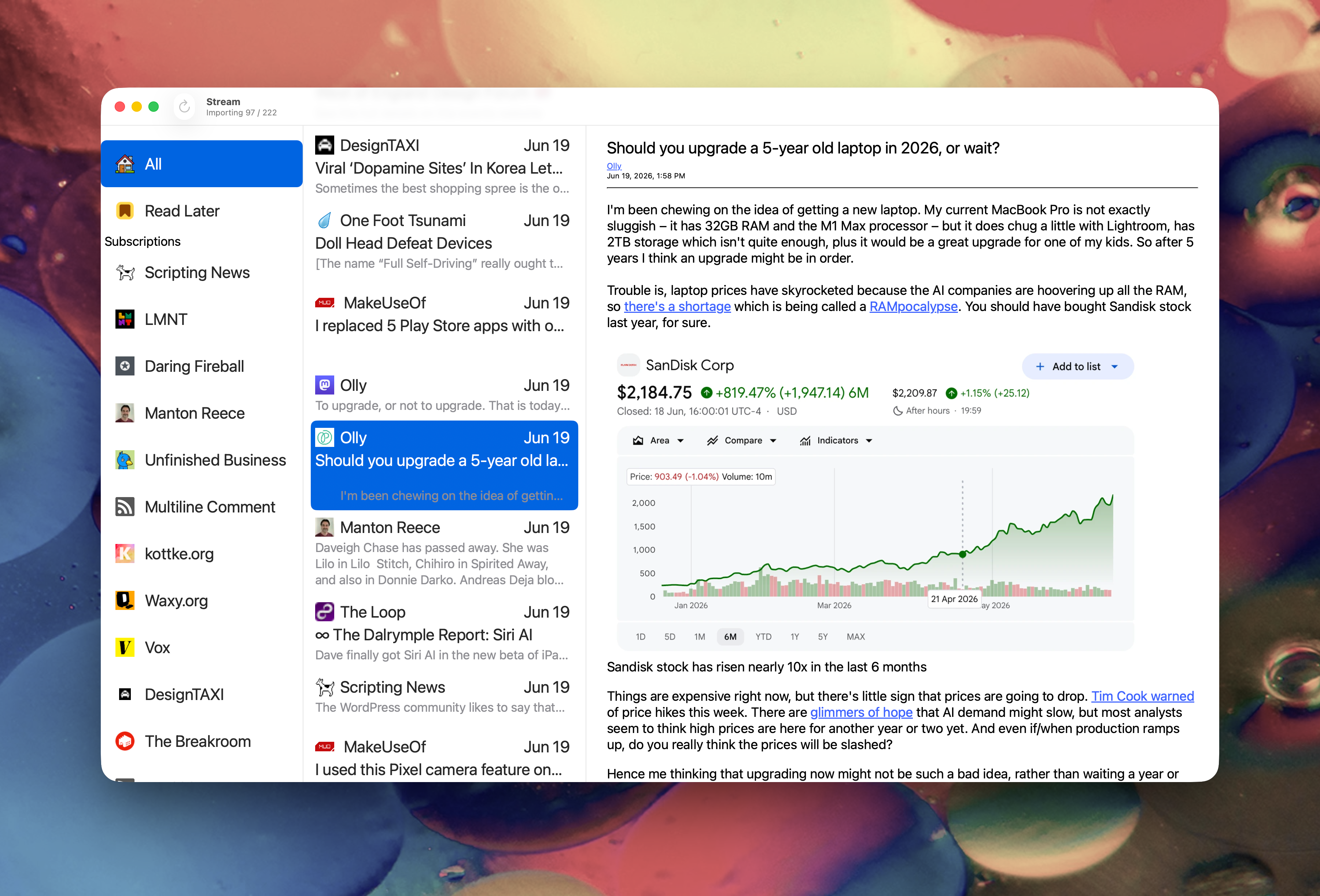
I’d really hoped I’d have shipped Stream for Mac by now. I’m just having so much trouble polishing off the final bits. It doesn’t feel quite right yet.
This is the point in Stream for iOS where I punted and made some views as Web Views just to get it out the door.
 I need to finish off OPML Import and Export so they show a progress indicator and some bugs and I’m calling it good enough. I’ll ship it as version 1.7 along with an updated iOS version 1.7 and hope to keep them in sync from then on. All new UI features across Mac and iOS will be SwiftUI
moving forward.
I need to finish off OPML Import and Export so they show a progress indicator and some bugs and I’m calling it good enough. I’ll ship it as version 1.7 along with an updated iOS version 1.7 and hope to keep them in sync from then on. All new UI features across Mac and iOS will be SwiftUI
moving forward.
I want to add syncing for the iOS and Mac versions but that will come after shipping the Mac version because I have to replace FMDB with CloudKit. Which will be a pain in the keister.
So many features to do; YouTube, Podcasts, Mastodon, Reddit, etc… a metric crap ton of work. 🤣
What did I get done today? 🤔
I did a bunch of little things to make the app have fewer rough edges.
I tried to fix an issue that causes the preview text in the feed item list to sometimes display only a single line but the text view is three lines high. Weird, I know. Sometimes it will display a single line but the text could be three lines high. I know this has something to do with cell recycling. I tried some recommended things to get the cells to resize their Text but no luck yet. I’ll get there.
Another thing I need to do to fix this is decode any HTML included in the feed and strip everything at the top that’s not a paragraph marker. What happens now is you won’t get any preview text because the top bit is an image or other HTML I’m not accounting for.
I didn’t get around to fixing OPML Import so it displays some sort of progress indicator while it’s working. I’m thinking about displaying a simple spinner with text to the right that reads something like “Importing: [blog name goes here]” in the toolbar. I think I’ll hide the refresh button and the Stream title text and replace it with the spinner and import text. That sounds good in my brain at the moment. 🧠
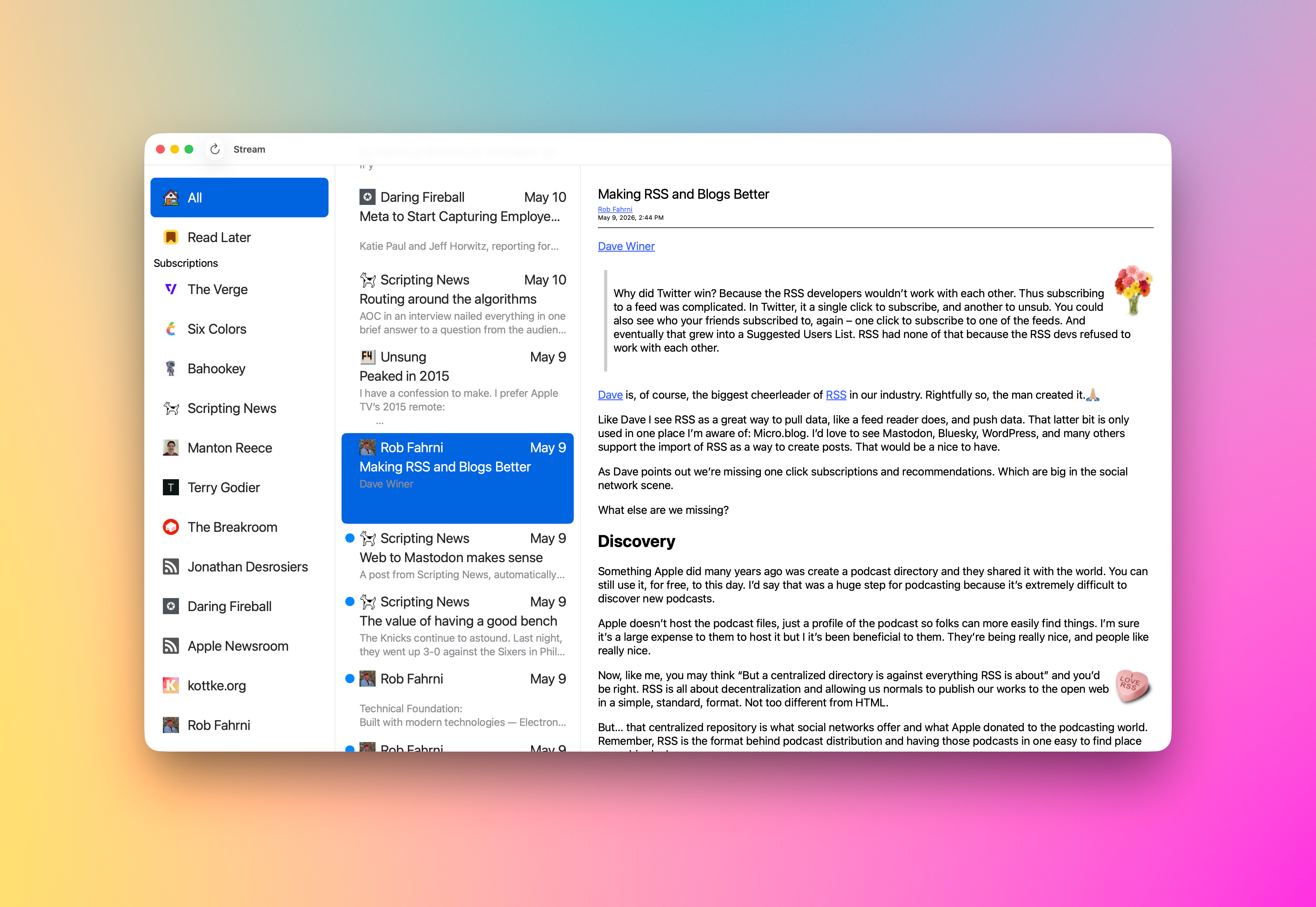
I fixed the issue with my Context Menu’s not working. Totally stupid move by me — I knew it would be. After my last coding session I changed a property to be “weak” because I thought it was retained somewhere else. Then I committed that change because I needed to pack up and get home. Mistake! That property needed to be retained because it was passed in and the caller created it to be handed off, it was NOT retained. What a rookie move on my part. 🤦🏻
Removed the “weak” last night and now it magically works. Oh, yeah, I also made another change. Instead of using a NIB to create the menu I did it in code and I just like that better. It was extremely straight forward and felt very natrual. Works great! 🥳
 Next, the app was approved for Testflight last night and I’ve already received some very good feedback! Thanks, John! (No we’re not competitors, John’s Unread is far and away one of the best Mac and iOS feed readers on the market. Go get it and subscribe because his sync service is fantastic!)
Look, I know Stream for Mac isn’t going to be good for everyone and even some of my testers may look at it and say “This is complete crap!” But, it makes me happy working on it and I’m especially thrilled to be making my first Mac app.
 It’s ok to be critical of it! I’d love to get your feedback, so if you’re using it, please share your opinion. If you’d like to see a really rough beta, let me know (if you’re reading this you’ll know how to find me!) and I’ll add you to the list!
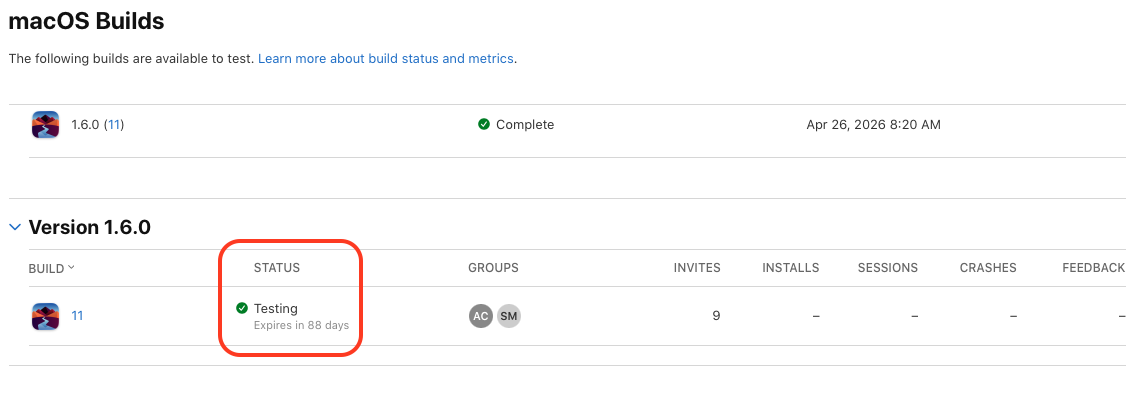
This morning I decided to get TestFlight setup so I could start dropping alpha and beta versions of the app. It didn’t take long, which was really nice, and I’ve submitted a build for Apple to approve for testing. I’d imagine it will take some time to get through the gauntlet since it’s the first version of Stream for Mac. Fingers crossed it doesn’t take long to get through. 🤞🏼
Besides that I added a couple new menu items to the View menu and implemented them.
The first was View > Timeline which is meant to present Stream in its two pane layout with a stream of blog posts in the left column and the text of the post in the right pane. I’ve called it Timeline but I don’t like it. It feels backwards. When Timeline is selected the leftmost list of blogs is hidden so you get that two pane view instead of three. It feels backwards because when it’s checked the blog list is hidden. I need to find a better way of presenting it. The functionality works just fine.
The other menu item is called Read/Unread Dots. I need a better name for this as well. What it does is hide or show the read/unread state dots. When I originally shipped stream I didn’t keep track of read state. It was meant to make viewing a more chill experience. I had a lot of folks reach out and ask me to add that read/unread state, so I did. Now I want a way to turn them off. This feature will make its way back to the iOS App as well, probably in a new menu item or as part of Settings. I need to think on it a bit.
 I’d intended to do a bit more but as I was running through the UI testing random stuff I noticed the context menu for the blog list wasn’t working. It worked just fine last weekend but not today. 🤬
I spent the remainder of my work time trying to understand what I’d done wrong. The actions were all hooked up, they just didn’t fire when a menu item was selected. I checked the NSMenuItem and it wasn’t nil and had all the menu items present. It just won’t invoke the associated action.
Depending on how those table view cells are configured I will remove the menu by setting the new menu to nil, but that’s only for the All and Read Later items since the menu items don’t make sense for two things.
The other thing I did was delete my toolbar from the main NIB. I put it back later in the day but it did make me wonder if that change had something to do with my other menus not working. Yeah, it’s a stretch since they’re in separate NIB files. But I sure can’t explain how I broke it. 🤔
Any tips from Mac AppKit experts would be appreciated. 🙏🏼
That’s all for today. It was a good start but that busted menu was a huge time sink and I don’t have an answer for it yet. Maybe I should see if Claude can fix it? 😁
Let’s go!

 Today’s progress on Stream for Mac felt great. I was able to replace the Collection View item in the Blog List — leftmost column — with a native NSCollectionViewItem, which was extremely straightforward.
I also added right mouse click menu support so you can do a few actions in your blog list; Mark All Read, Copy Feed Link, View Website, and Unsubscribe. All of the actions work as expected.
Cmd+A now selects the top most item in the list — All — and displays all items from all blogs in the middle column. You can, of course, select that item with the mouse and get the same results.
The middle column adds right mouse menu support for; Copy Link, Open, and Share… All actions work as expected.
I’m showing my hand a little bit with the item called “Read Later.” 😃 Yes, I’m adding an Share Sheet Action that will allow you to not only “Subscribe in Stream” to add a subscription from the blog you’re browsing but a new item will be called “Read Later in Stream” that will stash a reference to any site you’re browsing so you can check it out later. Hey, I really need that for myself! It’s how I collect notes for Saturday Morning Coffee. For now I’m using John Brayton’s excellent Unread to do that for me. Stream needs that support so it’s gonna get it. Both the Mac and iOS versions will have it.
I still have a lot of cleanup and tweaking to do. Mostly in the area of design. I have visual nicities to add and tightening some visual elements up to make my eye happy. It’s getting there.
Some things that need fixing. Selection of a blog item currently has black text and a blue highlight. The text needs to become white so you can read it easier. I’d also like to round the selection rectangle a bit and give it some inset so it doesn’t look so sharp. They currently look like you could cut yourself on them! Same for the middle column. Selection needs some help and that includes the same rounding and inset work. Using the app shouldn’t result in cuts.
I have some nagivation stuff to add — like using the spacebar to advance an article and jump to the next one when you reach the bottom. I’ve already added vim J and K keys to havigate up and down the middle column. I’d like to be able to navigate the entire thing without taking your hands off of the keyboard. Need to add something for navigating the blog list with the keyboard, maybe D & F? Are there standards for that yet? I’ll see what other Feed Readers use.
I feel very close now. My current plan is to ship the first release without Settings, so no way to tip me. 😄 I will add that support next. For now I’m just really excited to kick it out the door. I can build on what I have from there. Once it gets out there are things I’d like to do for the iOS version and Mac version that will be shared. I need better article parsing, I rely on what the RSS feed provides and if it doesn’t provide the full text of the article, I can’t display it. In the future the app will go to the article and parse the full text if allowed.
So little time, so many features I’d love to do!
LET’S GO!
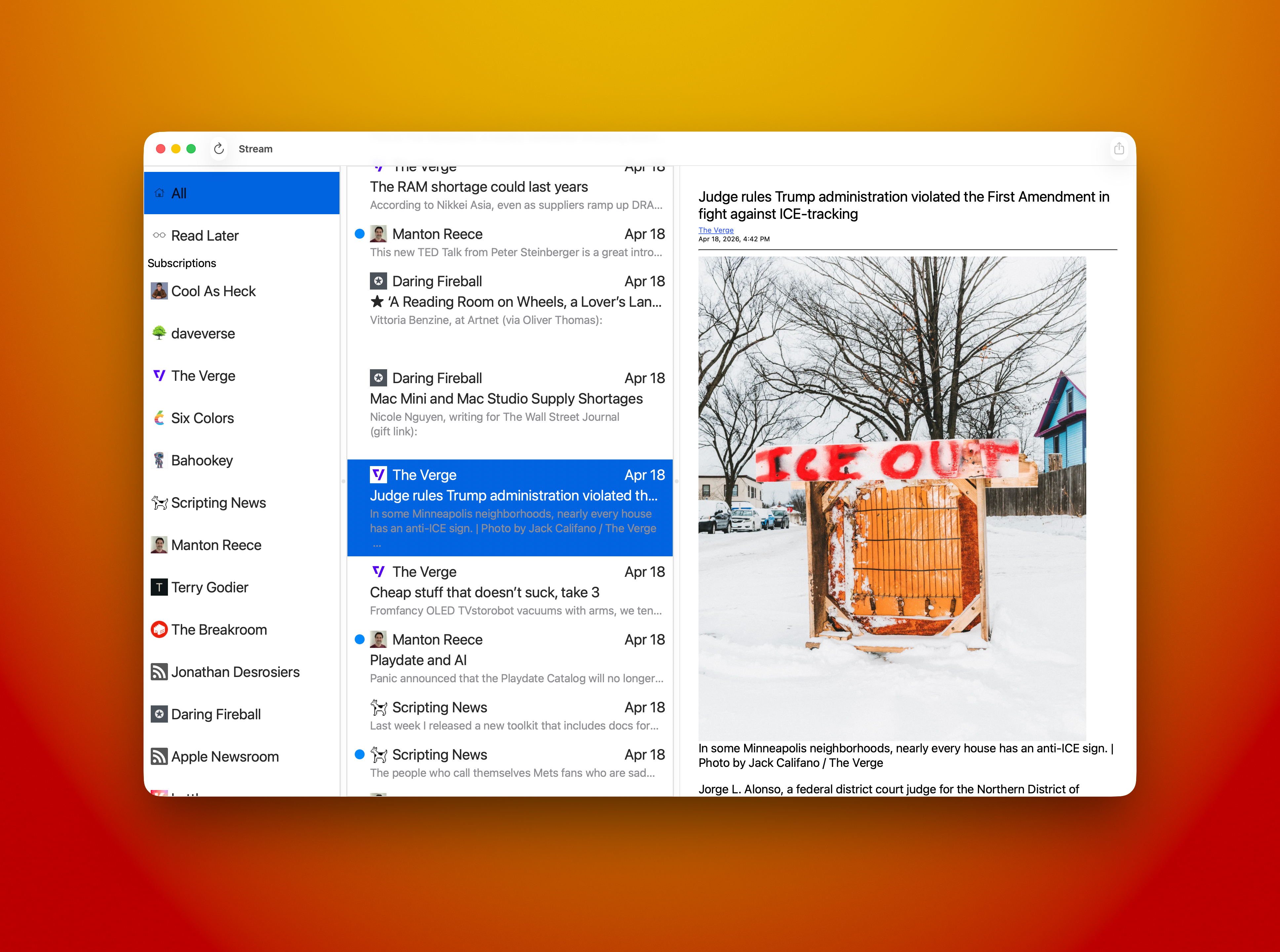
Time to work on Stream.

I was able to make it to the coffee shop and work on Stream today. I’ve been revisiting how to construct a good AppKit cell view — NSCellView — that does exactly what I want. And I continue to fail.
I’ve tried using constructing a cell using a NIB. It didn’t work as I’d wanted it to and I could never get it right. I abandoned that attempt.
Next I tried doing it in code. I managed to get the same exact results. It didn’t resize properly. I abandoned it.
I decided I should do it in SwiftUI. It only took me an hour or so of tweaks to make it work exactly like I wanted! Yay! 🥳
Next I had to get the little blue read/unread indicator working. I tried a lot of stuff but I couldn’t make it work driving it from an AppKit view (more on this later.)
So, I decided to give AppKit another try. This time using NSGridView in code. I wasn’t able to get the results I was after. So, you guessed it, I abandoned the attempt.
I thought I’d be clever and let Claude do it for me because I’m so darned hung up on it working as an AppKit cell.
I gave Claude a description of what I wanted, pointed it at the working SwiftUI version, told it to use my coding style, and turned it loose. At first glance I was surprised. What it built worked exactly like my AppKit versions. The date wasn’t pinned to the right of the cell view and things didn’t flow properly as I resized the cell. These are the exact same issues my hand built versions had. 😳
I went back to Claude and explained what I wanted to change and why. It went to work and made some tweaks. I thought, this is it!
Nope. Not it. Still has the same issue. The code was tweaked but I got the exact same results. 😳
I was puzzled to say the least.
At that point I was ready to declare I was a completely incompetent developer, throw my computer in a lake, and go hide away in the woods somewhere until I died.
I decided that was a little extreme and decided I’d go back to the working SwiftUI version.
Now, how do I actually get the darned blue read/unread dot to update properly?
I poked around at how Combine and SwiftUI work and how to properly expose and use a property when it updated. This time I went right to my model and made the very simple changes. Those worked as expected. 🥳
Now, to be clear, I’d tried some combination of things prior to this attempt and they all failed. Why didn’t I do it this way to start with? Well, I’m dumb, and stubborn, and wanted it to work a certain way, so I kept trying to do it my way. Sure, I used Combine and @Publish and ObservableObject, and the other macro I’m forgetting at the moment, or some other combination of those.
This time I told myself “Just bite the bullet and do it exactly like the documentation says, don’t try to fit it into your model.”
It works. I’m happy about it.
I stubbed out Command+click options on the cell and added some print statements just to make sure it did stuff. It did.
I packaged up my laptop and headed home. Now I sit here tying this up. I’ve been banging my head against a wall off and on since December of last year. I am an idiot and maybe I should quit?
Problem is, I really want to make this app. 😁
Time to hit publish and go mow the lawn, where I’ll think about my next steps for Stream for Mac. For the time being I’m freed of that burden I carried for so long.
Now I can do the features I need to ship the first release.
That is a good feeling. 👍🏼
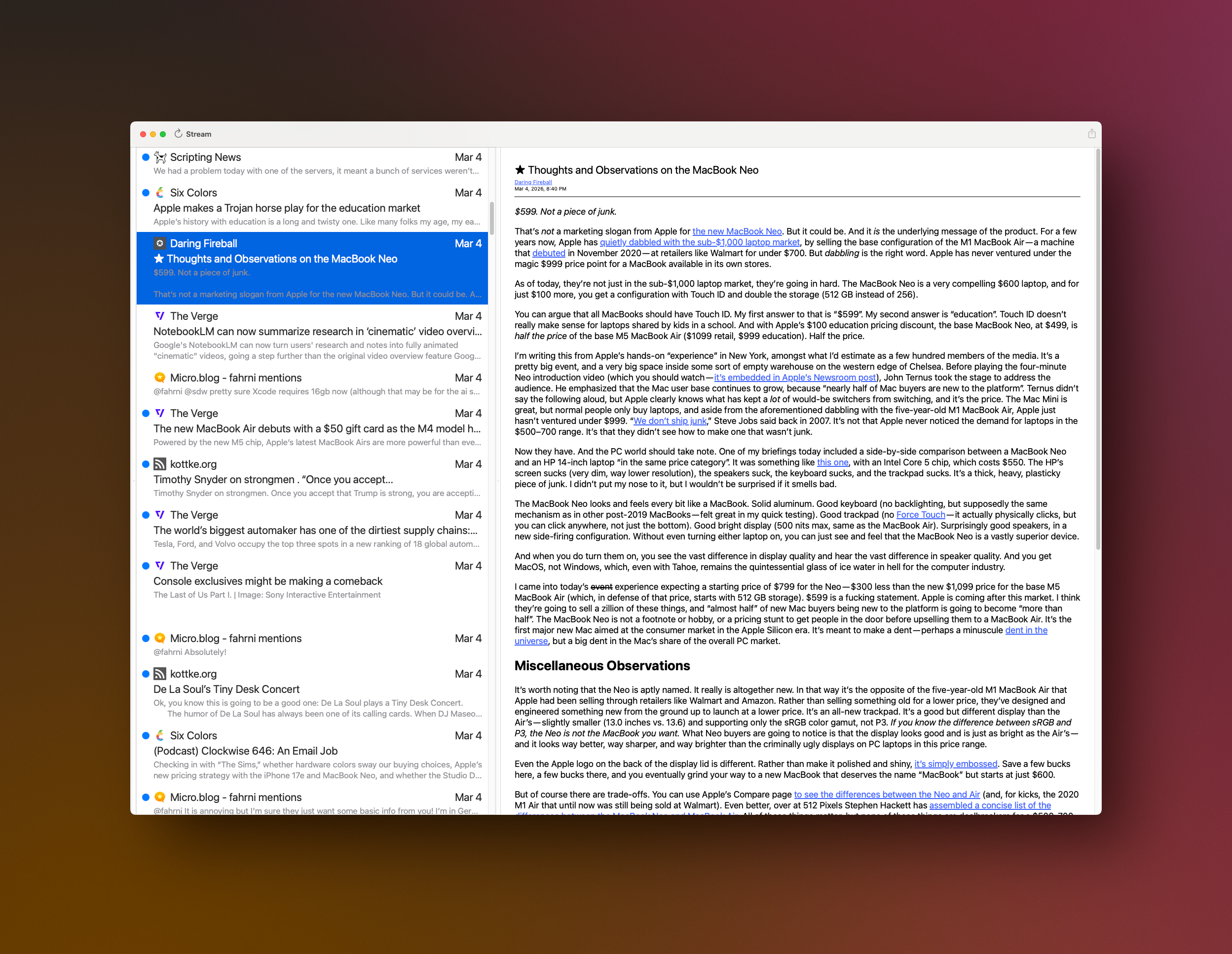
When I finally kick Stream for Mac out the door it’s going to have two modes of viewing feeda. The first will be the Classic Timeline View. It’s the reason I created Stream in the first place. I wanted something that felt like a social media timeline. A continuous stream of news in a unified timeline, flowing from newest to oldest. It’s a very simple concept and one I think some folks appreciate.
Here’s what the Timeline view will look like on the Mac.
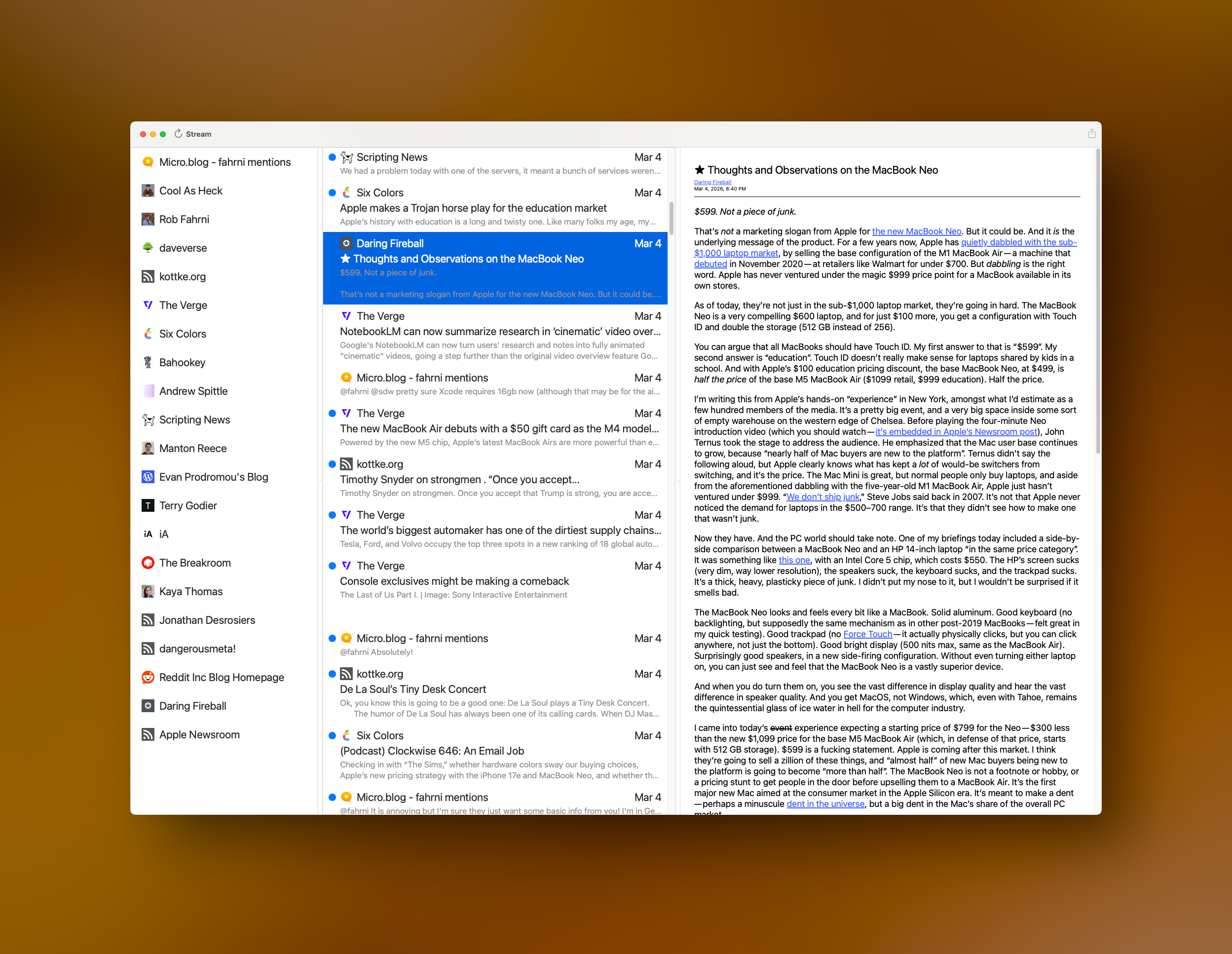
The second view style will be Blog View — at least I think that’s what I’ll call it? This view will be the view most folks associate with Feed Readers. It will have the three column, Mail like — view with Blogs in the leftmost column, a list of Posts in the middle (the Timeline), and the Post Reader on the right side.
I need to put Thunder Chicken down for a bit and focus on Stream for Mac because I have a lot of work to build out before I’ll feel good about shipping it. 😊
Someone must’ve mentioned Stream yesterday? 😀
I had 130 downloads, which is a good day for it!
Thank you to whoever mentioned it! 🙏🏼
 Sitting at Grit — my favorite coffee shop — sipping my mocha trying to decide what to work on.
Stream for Mac, Stream for iOS, or Thunder Chicken?
It should be Stream for Mac. I haven’t worked on it in a while because I’ve been working on Thunder Chicken.
I’ve thought about doing a German localization for Stream.
Adding a right mouse action menu to the Mac version of Stream, and whatever else I can complete.
What about having Claude create an NSCellView for me that sizes properly when the column it’s in resizes. I could never get this working properly but did it in SwiftUI rather quickly.
How about completing the first full implementation of a network client for Thunder Chicken? Get posts, create posts, update post, delete posts, etc. I have an abstraction so I can support multiple blogging platforms.
Oh, I forgot about Arrgly. It’s my link shortener that uses YOURLS for its backend. I have a new SwiftUI version of it I need to finish off, just because.
Decisions, decisions.
I’m mostly well now. I still have a cough that’s working hard to get those last remnants of irritation out of my lungs but I’m mostly whole. 🤧
I made it to the coffee shop this morning because I really need to work on Stream. It’s been three or four weeks since I’ve been able to work on it and I miss it.
I have lots of thoughts swirling around in my pea brain this morning. Mostly around a strong desire to retire. Retire from working for someone else, not retire from working. At this time of the year I always think about what it would be like to work on my own stuff full time. Stream and top secret project would get so much attention. I looked at top secret project last week for a moment and realized it’s been over a year since I touched the code. That didn’t seem possible but the dates don’t lie. My brain though it had been a few months, not over a year. It was a shock to the system. I’m not gonna be here forever and someday I may not want to write code any longer. Who knows? I certainly don’t. The way I feel about things now I can see writing code until I drop dead behind my keyboard. Someone finding me face down, my computer in some weird state from my face unintentionally issuing a command. 😄
Of course, as it stands today, I still need a job and I’m very happy to have one.
Oh, sorry for missing Saturday Morning Coffee yesterday. My body needed the sleep. I managed to sleep until 4:30PM and still sleep last night. I’m still tired this morning. This darned bug took it out of me.
I managed to break the splitter on the right side of the middle column last time I worked on Stream. How? I have no idea what I did to break it. After beating my head against the wall for a half hour I finally found it. I’d set the width of the rightmost column to a fixed value. Duh! Don’t do that if you want things to automagically resize. Fixed. ✅
I need to sit down and read about state management with SwiftUI because it’s clear to me I’m too stupid to use it. 😄
I want to do what I though was a simple thing. I just want to hide, or change the background color of, my read/unread dot. The iPhone app just updates a value in a view model to be true or false and the UI is updated, easy peasy. It’s using UIKit instead of SwiftUI so it’s something I’m very familiar with.
Is it that easy in SwiftUI? Probably, but I don’t currently understand how to change a simple boolean value and convince the UI to refresh itself. I thought, like a big dummy, that I could make a boolean value on the View, decorate it with @State, and by calling toggle() on it, it would cuase the UI to update. Nope. Didn’t work. 😳
I’ve tried a few things to make it happen and it’s obvious I don’t understand how to do it. So… it’s time to go sit down and read how to do it. The View I’m trying to update is hosted in an NSHostingView and I can’t imagine that has anything to do with it? Do I need to using @Binding and @State together in a way I haven’t tried? Or, perhaps, I need use something completely different. ❌
Pretty big fail on my part today. Which is pretty frustrating. I have such little time to work on it that I need to have productive days. Failure is part of the process. I’ll figure it out and be better for it.
I guess I did manage to fix a bug. That’s a good thing. Just not enough.
Time to go home and make a Turkey sandwich. 🦃
Another slow start to the day. I’ve hit a point in my todo list of items I don’t want to do. 😄 That’s always a good sign. It means I’m getting to the end of what I’d like to do to get a 1.0 out the door.
Today I covered three things.
I like the way Reeder and Unread use the J and K keys to navigate between feed items, so I added that. I need to figure out if I want to add it to blog navigation as well.
This was a lot easier than I expected! Thank you Interface Builder! I was able to set a couple properties and it’s taken care of for me.
I had an ugly bug that would cause the feed items table view to not refresh properly. I was final able to find the set of properties I needed to tweak to make this do what I wanted. Now the middle column — feed items — now updates properly. Bug squashed.
Well, I still have a list of things I’d like to do and I need to work on polishing up how the app feels. When redrawing feed item cells the associated favicon image doesn’t fill in as quickly as I’d like. I’ll just cache all of them so hopefully we won’t have that issue any longer.
I also added a new container type for blog display — leftmost column — so I can add static type items in the column. I need at least to column headers; Articles and Subscriptions, so I can have an All Articles item and have all of the blogs display under Subscriptions for a bit of separation. The All Articles item will behave the same way as Cmd+A and display all feed items mixed together in the middle column. It’s also where I’ll place the items saved to “Read Later” but that may not be a 1.0 item, we’ll see how it goes.
I also need to make sure to get my Action Extension “Subscribe in Stream” working on the Mac so folks will be able to subscribe right from Safari.
Oh, one other annoying thing. I created a separate target for the Mac build and I had to name it Stream-macOS because Xcode wouldn’t let me have two Stream Targets. I suspect this was a mistake and to fix it I’ll have to add a new Target to the existing Target. I know, that may sound weird, but there is a way to do it and I didn’t know about it until I read up on it today. That will be a real pain in the butt to fix because of file inclusion per target. Ack! Not looking forward to that! 🤣
I got an early start this morning and managed to get to the coffee shop before they opened at 7AM. 😀
Once I got my coffee and settled in I got right to work. Got the app built and running then I noticed it wasn’t updating. DOH! Turns out my Mac had lost its mind and refused to connect to the network until I rebooted it. Even a Mac needs a reboot every now and then I suppose.
I’m still trying to figure out my feed item list UI rendering problem. When it reloads it goes through the proper code path; filters based on selection and tells the table view to reload itself. It does reload but half the time the items display off screen. I can get it to draw properly by scrolling the view. That’s when I noticed it would draw properly every other selection. 😳
This got me thinking about my choice to use SwiftUI for the table view cells. One thing about that choice is cell reuse is kind of strange. The only way I’ve been able to get them to draw properly is to make a new view, just the SwiftUI part, so it gets laid out properly. I’m fairly certain I could get this working by using SwiftUI’s state mechanism but I decided to try doing a proper cell using AppKit and hook up the constraints manually. I have the cell put together and was working on constraints when I ran out of time for the day.
If I’m feeling rambunctious I may work on it a bit this week. If all else fails there’s always next Sunday.
I was slow to start today. I wasn’t sure what I wanted to work on at first. It took me a couple hours to really get rolling.
So, what I did was fix a refresh bug that was bugging me. When I added a new blog the blog table view didn’t update. It took me a long time to decide how I wanted to fix it. I went through a bunch of ideas then I noticed that I’d already had some stuff in place that would allow me to fix it pretty quickly. Unfortunately it took me forever to get to that point. That’s now fixed. ✅
I had another bug that was really bugging me but I keep forgetting what it is until I run into it again. This week I decided to save the offending Atom feed into my collection of test feeds so I’d get it fixed. Bug exterminated. ✅
I have a small list of things to do before making a 1.0 release. Once I get those items completed I’ll put together a limited beta and collect some feedback. I need to do a lot of polishing. My tables flicker too much during updates because I reload everything and force the UI to render. Yeah, very heavy handed. If I can minimize the flicker I may ship it like that. Once the Mac version is out I can focus on catching it up to the iOS version and start adding new things to both at the same time. I have so much work ahead of me but that’s perfectly fine!
Worked on Stream for Mac today since we’re celebrating our granddaughters birthday tomorrow, should be a super good time. Looking forward to it.
So, today when I started I had to fix a couple of outlets in my Mac NIB for the main window. How this got busted I’ll never know but it was and it caused the app to crash at startup. I do this so rarely that I forget how to do it, so it sucked to have to start off that way. Fixed. ✅
Next thing on the fix it list was a bug I’d introduced three weeks back. When I’d refresh the blog list using a pull to refresh on the iOS build or Cmd+R for the Mac build it would make all the network requests and tell the view controller to do its thing, however I messed up my view model when I added the ability to filter down to single blog selection in the UI, whoops! That was a simple fix. ✅
I decided, with the time I had left, to add some keyboard support. Doing a Cmd+A will now select all feeds. I need to add an All item in the blog list so folks can click on it if they’d prefer to select to display all feed items for all blogs that way. Maybe next time.
I also added support for using the up and down arrows to navigate through the list of blogs or the list of feed items. That went together pretty quickly and I really like the results. Done. ✅
I’m going to add some vi support to the keyboard to do some navigating as well as making the space bar scroll the through the article you’re viewing or moving on to the next item once you reach the bottom of an article. Stuff like this are kind of table stakes in existing feed readers. Future addition.
Until next weekend I’ll have some new features to play with on my Mac. I’m tempted to start a TestFlight but it’s still so early days. Reach out if you’d like to try it now. It may crash and misbehave but it’s kind of fun to play with, if you can tolerate it. 😄