Using Stream Daily

Using the Beta

I’ve been using Stream for Mac in its default mode for quite a while now and I really love it. I can see things I need to tweak but the overall shape and stability of the app put a smile on my face. It’s simple, as intended. Perhaps too simple for some but I built Stream to scratch my own itch and I hope others will enjoy it as well.

The default mode is, like the iPhone and iPad versions, a timeline like Mastodon or Bluesky. There are no unread dots in the timeline so you don’t feel compelled to read everything. It’s meant to be a casual timeline. If you don’t feel interested in a certain headline, just keep scrolling.

RibbitIf you’d like to remove a feed just display the blog list by doing Cmd+Ctrl+s to show the list, remove the feed, and do Cmd+Ctrl+s to hide the blog list. You can also show and hide the blog list by selecting View > Show Blog List or View > Hide Blog List. Easy.
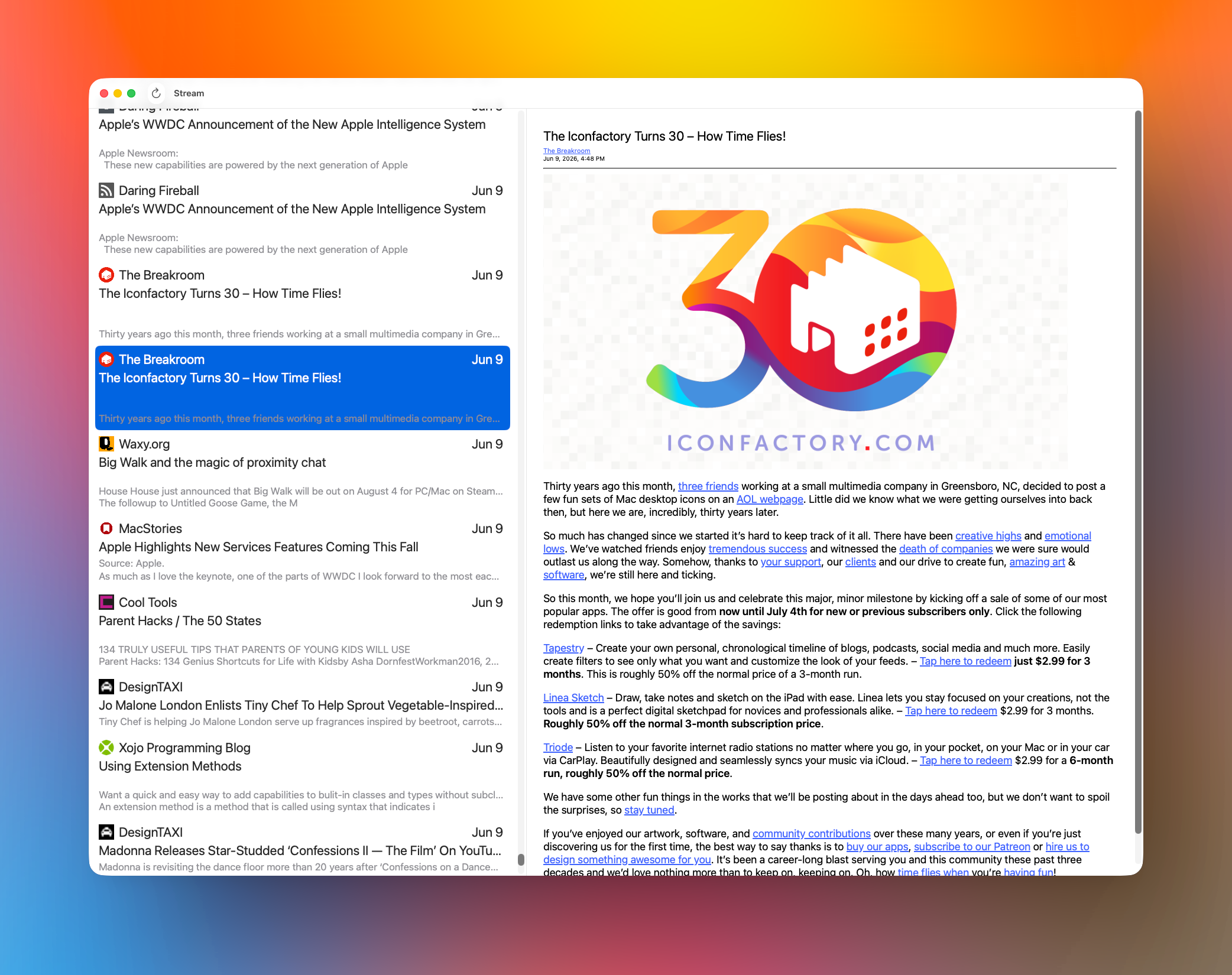
I don’t think I’ve mentioned it but you can navigate up and down the feed items list by using the j and k keys, yes vi inspired, and you can press the space bar to do a page down in the article you’re viewing, doing a shift+space will go backwards. I still need to add code to detect when you’ve reached the top or bottom of a page so I know to jump to the next feed item for you automatically.

For a while I was pretty happy with the overall UI look and feel. That feeling has now disappeared and I think it looks kind of meh. I’m gonna work on that. It needs to be better.

Sync

Folks are going to hate, hate, hate, the lack of syncing between your devices. It just doesn’t exist yet. When I originally started Stream I wasn’t happy with the performance of CloudKit. I don’t know if it’s any better today but I have to support it. It’s on the list of things to do once I complete the initial Mac release. I kid of have to gut my data persistence layer and make it work with CloudKit, which I haven’t invested any time in, yet.

I’m ready to get the ★☆☆☆☆ reviews with the “This app sucks, it doesn’t even sync your data!” That’s fine.

There are great alternatives

There are many great choices out there for feed readers. Apps like Unread, NetNewsWire, Tapestry, and Reeder are great choices for more advanced feed readers. I will certainly support some things they support and hope to give you something different. We’ll see. 😄

Thank you

As always I’d like to express my gratitude for everyone who’s ever downloaded the iOS version of Stream for their phone or iPad. And I can’t thank everyone who’s supported me by giving feedback or helping me with a code problem. You’re the best. Thank you. ❤️

Work Note: Stream for Mac

I was able to work on Stream for Mac Friday and I finally fixed up some UI stuff I’ve been meaning to get to for a very long time.

I’d asked a friend from some honest to goodness, unvarnished, feedback and part of what he recommended, I took care of Friday.

When you Refresh your feeds either directly — Cmd+r or clicking the Refresh button or selecting File > Refresh — or indirectly at startup, there was no indication of what was happening. Now there is.

Up in the title where it says Stream I’ve added a subtitle that reads “Updating x/x” or “Importing x/x” depending on what action you’re taking.

  • For Refresh it displays “Updating x/x
  • For Import OPML it displays “Importing x/x

Where x/x would be something like 10/100 if you have 100 items being refreshed or imported.

Red sock.When importing OPML the UI is “kicked” every 10th feed so the UI refreshes its lists. My method of refreshing has always been very lazy and brute force. It’s something I intend to cleanup at some point, maybe not by the time it ships, but I really need to get this thing out the door.

Thanks for the feedback, Josh. It’s always appreciated.

Oh, one other thing I did was register default settings so the app behaves properly the first time you launch it.

By default the Blog List will be hidden and Read/Unread Dots will be displayed.

Once again, thank you, Josh. 🙏🏼

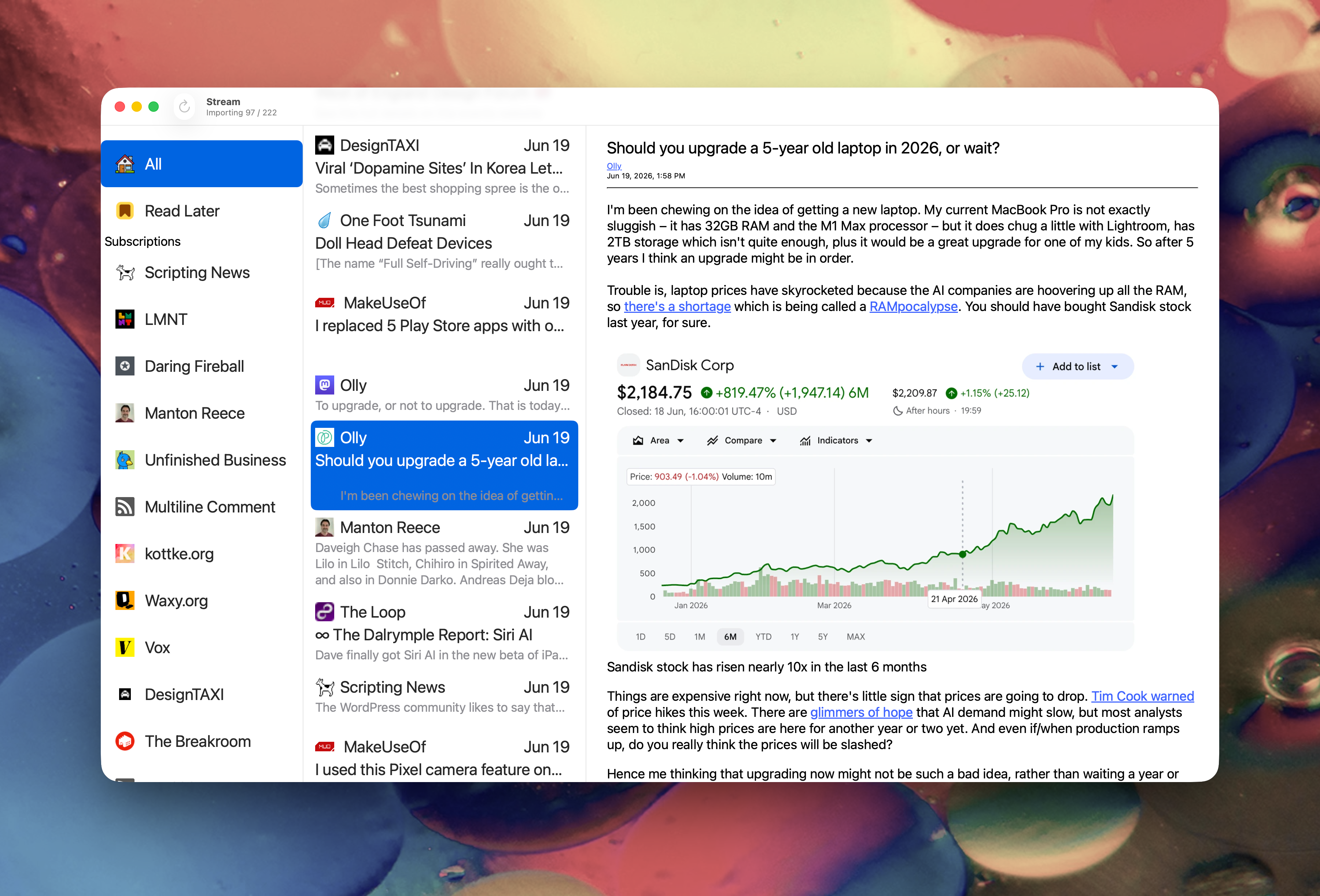
Here’s a screenshot of what the app looks like as of Friday afternoon. If you look closely at the titlebar you’ll see that it’s actively importing OPML.

Making RSS and Blogs Better

Dave Winer

A wonderful bouquet of flowers.

Why did Twitter win? Because the RSS developers wouldn’t work with each other. Thus subscribing to a feed was complicated. In Twitter, it a single click to subscribe, and another to unsub. You could also see who your friends subscribed to, again – one click to subscribe to one of the feeds. And eventually that grew into a Suggested Users List. RSS had none of that because the RSS devs refused to work with each other.

Dave is, of course, the biggest cheerleader of RSS in our industry. Rightfully so, the man created it.🙏🏼

Like Dave I see RSS as a great way to pull data, like a feed reader does, and push data. That latter bit is only used in one place I’m aware of: Micro.blog. I’d love to see Mastodon, Bluesky, WordPress, and many others support the import of RSS as a way to create posts. That would be a nice to have.

As Dave points out we’re missing one click subscriptions and recommendations. Which are big in the social network scene.

What else are we missing?

Discovery

Something Apple did many years ago was create a podcast directory and they shared it with the world. You can still use it, for free, to this day. I’d say that was a huge step for podcasting because it’s extremely difficult to discover new podcasts.

Apple doesn’t host the podcast files, just a profile of the podcast so folks can more easily find things. I’m sure it’s a large expense to them to host it but I it’s been beneficial to them. They’re being really nice, and people like really nice.

I Love RSS!Now, like me, you may think “But a centralized directory is against everything RSS is about” and you’d be right. RSS is all about decentralization and allowing us normals to publish our works to the open web in a simple, standard, format. Not too different from HTML.


But… that centralized repository is what social networks offer and what Apple donated to the podcasting world. Remember, RSS is the format behind podcast distribution and having those podcasts in one easy to find place was a big deal.

Centralized? Are you nuts?!

Yep, totally, because what I’d like to see is bloggers, podcasters, and anyone else who uses RSS come together to build a centralized repository of basic attributes for bloggers and podcasters. It would be Apple’s directory but not limited to podcasts.

If the repository was “free” to feed readers and podcast players we could all pull from it to create recommended feeds and/or create separate timelines in our readers and players of latest posts. It opens the door to many possibilities. Bloggers and podcasters wouldn’t have to change a thing. Their RSS feed would remain the same. They’d have to do one tiny thing. Register that feed with the repository so it could make a nice card for you and list your podcasts.

Readers and players would direct any searches for blogs or podcasts to that directory and provide a list of items so the user could one click subscribe to it.

You could tell folks to “Subscribe wherever you get your feed” because RSS is completely open it doesn’t require you to be part of the centralized directory! The directory just helps with discovery.

Threaded Conversations

This is another thing missing from RSS and weblogs in general. How does RSS become a two-way conversation? Does it need to be?

For me the jury is still out. Mastodon has done an amazing job of making it easy to have your own instance interact with every other instance. That’s been really nice to have.

How would blogging solve that? I’d read a piece from Dave a number of months back that addressed this but I can’t find it now. I’d imagine others have worked on ways to make it happen.

Have you seen ActivityPub support in WordPress? It’s pretty nice and getting better all the time. When someone replies to your blog post on Mastodon it shows up in your blog as threaded comments! That’s incredible and going a long way toward making blogs more two way like conversations. It would be nice if it were a bit tighter with RSS but it’s a start.

Also of note is Automattic’s recent Radical Speed Month effort. It hooks blogging, Mastodon, and Bluesky into a single reading interface. Really nice stuff.

There are, of course, other examples of this, like The Iconfactory’s Tapestry or Reeder. Unread is starting to do some of this.

Ideas are getting better and better. Folks are trying out new things and experimenting more and more with formats.

I feel like we need more glue to make discovery and search better. That’s a big missing piece.❤️

Tiny Apple Core

Work Note: Stream for Mac

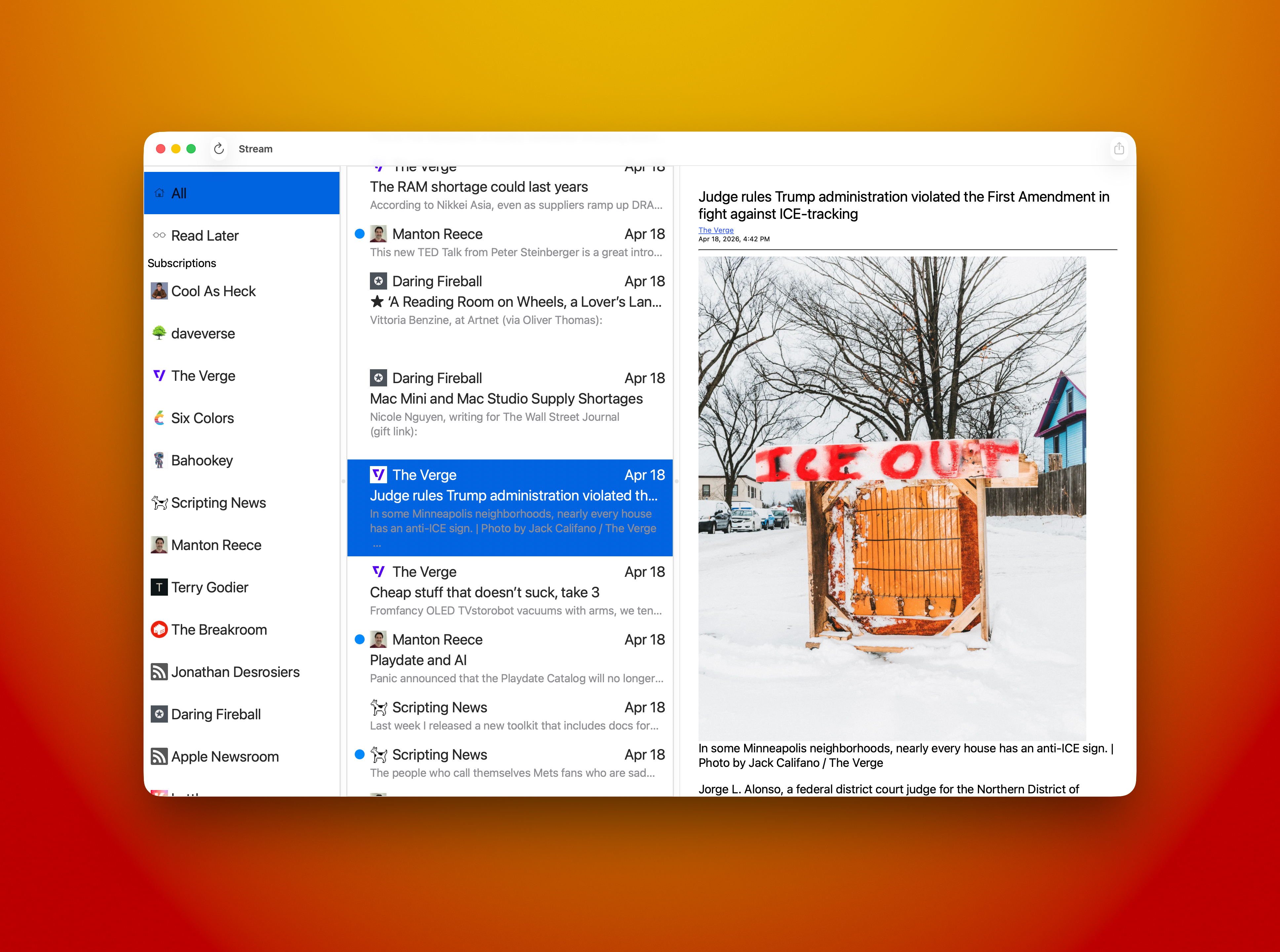
Today’s progress on Stream for Mac felt great. I was able to replace the Collection View item in the Blog List — leftmost column — with a native NSCollectionViewItem, which was extremely straightforward.

I also added right mouse click menu support so you can do a few actions in your blog list; Mark All Read, Copy Feed Link, View Website, and Unsubscribe. All of the actions work as expected.

Cmd+A now selects the top most item in the list — All — and displays all items from all blogs in the middle column. You can, of course, select that item with the mouse and get the same results.

The middle column adds right mouse menu support for; Copy Link, Open, and Share… All actions work as expected.

I’m showing my hand a little bit with the item called “Read Later.” 😃 Yes, I’m adding an Share Sheet Action that will allow you to not only “Subscribe in Stream” to add a subscription from the blog you’re browsing but a new item will be called “Read Later in Stream” that will stash a reference to any site you’re browsing so you can check it out later. Hey, I really need that for myself! It’s how I collect notes for Saturday Morning Coffee. For now I’m using John Brayton’s excellent Unread to do that for me. Stream needs that support so it’s gonna get it. Both the Mac and iOS versions will have it.

I still have a lot of cleanup and tweaking to do. Mostly in the area of design. I have visual nicities to add and tightening some visual elements up to make my eye happy. It’s getting there.

Watch out! It's a blog fly!Some things that need fixing. Selection of a blog item currently has black text and a blue highlight. The text needs to become white so you can read it easier. I’d also like to round the selection rectangle a bit and give it some inset so it doesn’t look so sharp. They currently look like you could cut yourself on them! Same for the middle column. Selection needs some help and that includes the same rounding and inset work. Using the app shouldn’t result in cuts.
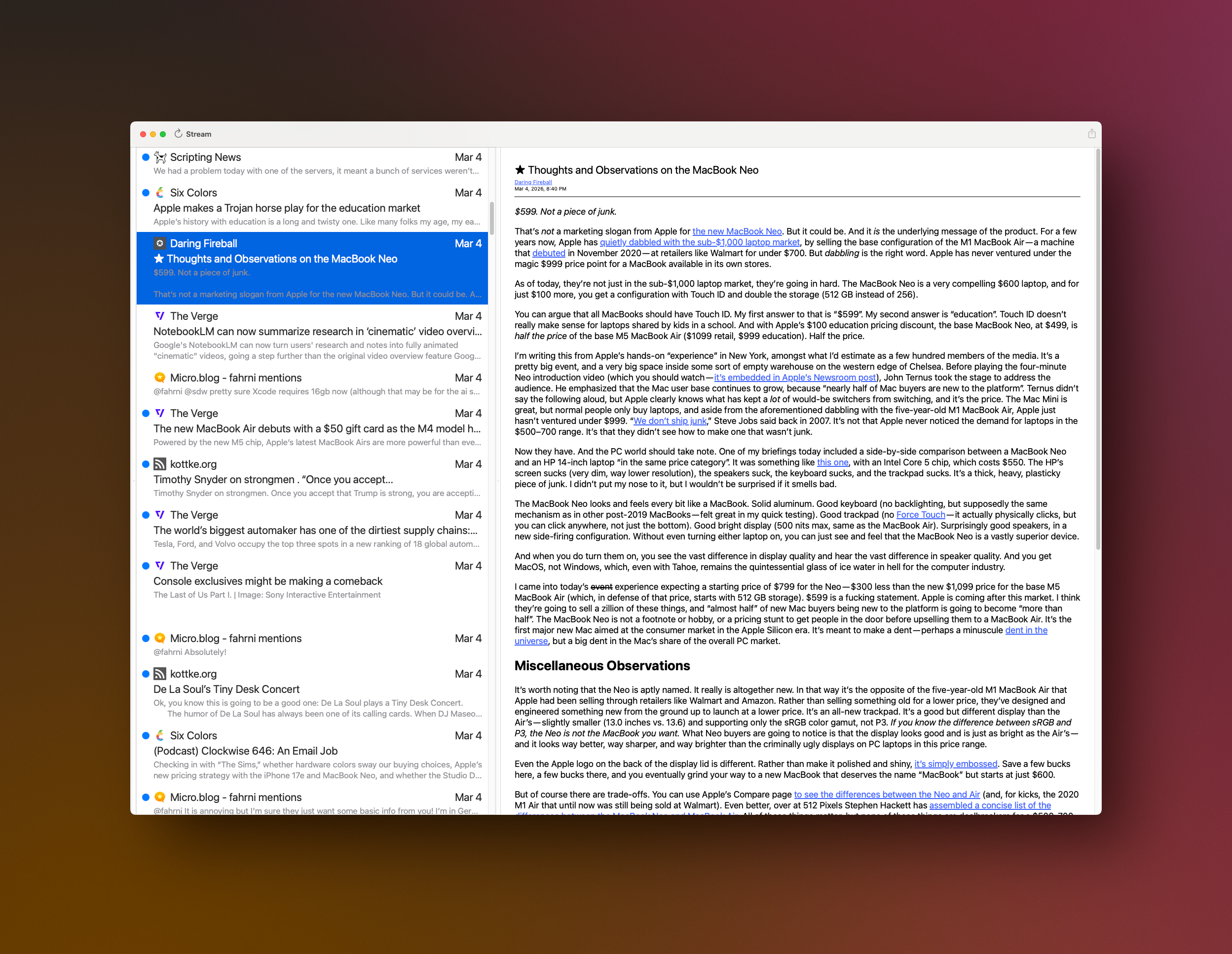
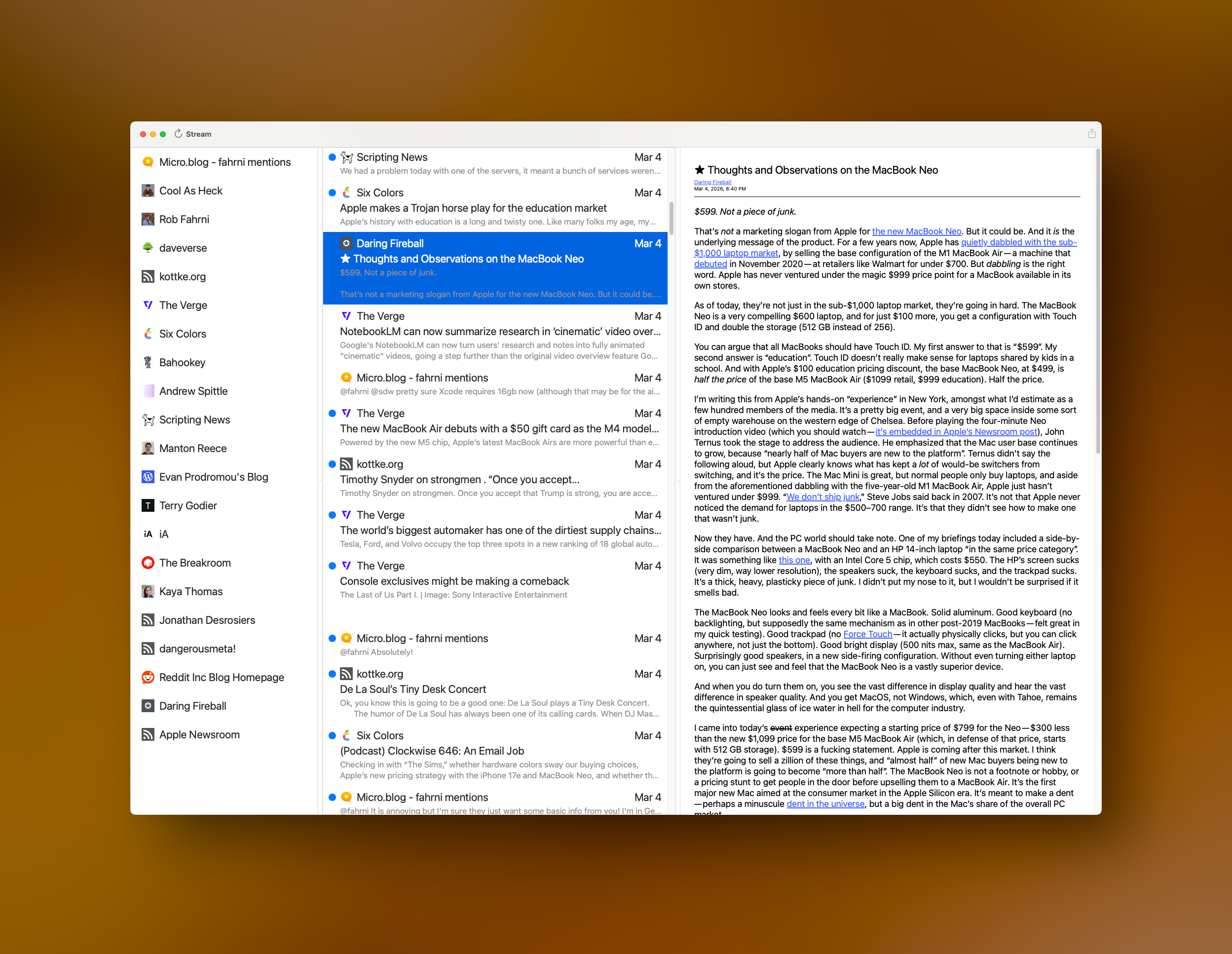
I have some nagivation stuff to add — like using the spacebar to advance an article and jump to the next one when you reach the bottom. I’ve already added vim J and K keys to havigate up and down the middle column. I’d like to be able to navigate the entire thing without taking your hands off of the keyboard. Need to add something for navigating the blog list with the keyboard, maybe D & F? Are there standards for that yet? I’ll see what other Feed Readers use.

I feel very close now. My current plan is to ship the first release without Settings, so no way to tip me. 😄 I will add that support next. For now I’m just really excited to kick it out the door. I can build on what I have from there. Once it gets out there are things I’d like to do for the iOS version and Mac version that will be shared. I need better article parsing, I rely on what the RSS feed provides and if it doesn’t provide the full text of the article, I can’t display it. In the future the app will go to the article and parse the full text if allowed.

I Love RSS!So little time, so many features I’d love to do!

LET’S GO!

Stream for Mac - View Styles

When I finally kick Stream for Mac out the door it’s going to have two modes of viewing feeda. The first will be the Classic Timeline View. It’s the reason I created Stream in the first place. I wanted something that felt like a social media timeline. A continuous stream of news in a unified timeline, flowing from newest to oldest. It’s a very simple concept and one I think some folks appreciate.

Here’s what the Timeline view will look like on the Mac.

Classic Stream Timeline View

The second view style will be Blog View — at least I think that’s what I’ll call it? This view will be the view most folks associate with Feed Readers. It will have the three column, Mail like — view with Blogs in the leftmost column, a list of Posts in the middle (the Timeline), and the Post Reader on the right side.

Stream for Mac Blog View

I need to put Thunder Chicken down for a bit and focus on Stream for Mac because I have a lot of work to build out before I’ll feel good about shipping it. 😊

Someone must’ve mentioned Stream yesterday? 😀

I had 130 downloads, which is a good day for it!

Thank you to whoever mentioned it! 🙏🏼

Work Note: Stream for Mac

I was slow to start today. I wasn’t sure what I wanted to work on at first. It took me a couple hours to really get rolling.

So, what I did was fix a refresh bug that was bugging me. When I added a new blog the blog table view didn’t update. It took me a long time to decide how I wanted to fix it. I went through a bunch of ideas then I noticed that I’d already had some stuff in place that would allow me to fix it pretty quickly. Unfortunately it took me forever to get to that point. That’s now fixed. ✅

I had another bug that was really bugging me but I keep forgetting what it is until I run into it again. This week I decided to save the offending Atom feed into my collection of test feeds so I’d get it fixed. Bug exterminated. ✅

AHHHHHH!I have a small list of things to do before making a 1.0 release. Once I get those items completed I’ll put together a limited beta and collect some feedback. I need to do a lot of polishing. My tables flicker too much during updates because I reload everything and force the UI to render. Yeah, very heavy handed. If I can minimize the flicker I may ship it like that. Once the Mac version is out I can focus on catching it up to the iOS version and start adding new things to both at the same time. I have so much work ahead of me but that’s perfectly fine!